

Height-Adjustable Feet for Desk Guide 2026

You might already know the problem. The table looks good visually, but it wobbles slightly. Or the height fits only when sitting, not standing. After a few hours, you notice it in your neck, lower back, or shoulders.
This is exactly where height-adjustable feet for desks become interesting. Many search for them but mean different things. Some only want small adjustable feet to compensate for an uneven floor. Others are actually looking for a complete height-adjustable frame that can switch between sitting and standing positions.
Both make sense. But they do not solve the same problem. If you keep them separate, you make a much better decision. Especially if you want to keep an existing tabletop or if your body height does not fit the usual standard.
Why height-adjustable feet are the key to ergonomics
Monday morning in the home office. The tabletop from the old setup is still good, maybe even a heavy IKEA top. But the table stands on a slightly uneven floor, one foot has minimal play, and when typing, the tension first moves to the shoulders and later to the lower back. Exactly here, it is not the surface of the table that decides comfort, but what works underneath.
A desk must fulfill two technical tasks. It needs a secure stand and a working height that fits your body and your use. If one of these points is missing, you get a workspace that looks neat but feels wrong in everyday use.
Two functions often run under the same term
With height-adjustable feet for desks, many talk about different components even though they use the same word. This quickly leads to wrong purchases when retrofitting.
-
Adjustable feet or leveling feet
They correct small differences in the floor. The goal is stability. The table should not wobble, even if tiles, old parquet, or a rolling mat have slight irregularities. -
Height-adjustable frames or table legs
They change the entire working height. The goal is ergonomic adjustment for sitting, standing, or multiple users with different body heights.
The difference is as important as that between a spirit level and a jack. Both change a position, but for completely different tasks. An adjustable foot stabilizes the table. A sit-stand frame changes the workspace.
Ergonomics start from the bottom, not the top
Many start with the tabletop. Decor, edge shape, cable outlet. That is understandable. But for ergonomics, the crucial factor is first whether the base frame supports the height cleanly and limits lateral movement.
The Institute for Occupational Safety of the DGUV describes for screen and office workplaces that work equipment must be adapted to body measurements and the task to avoid forced postures. You can find this basic idea in the DGUV information on ergonomic requirements for screen and office workplaces. In practice, this means: A suitable height is not a detail. It determines whether shoulders lift, wrists bend, or the back constantly works in a compensatory posture.
Stability is directly part of it. A table that gives slightly with every input creates the same effect as a tool with play in the handle. You still work, but your body constantly compensates.
Why retrofitting is often more complicated than buying a new table
Most guides stop at general ergonomics. But in the workshop or home office, two much bigger questions arise.
Firstly: Does the existing tabletop technically fit the new foot or frame system at all? This concerns hole patterns, tabletop thickness, screw extraction, tabletop material, and load distribution. Especially with IKEA tabletops, honeycomb panels, or very deep worktops, the statement “compatible” alone is not enough.
Secondly: Is the adjustment range really sufficient for people outside the standard size? Those who are significantly smaller or taller quickly notice that a nominally adjustable table can still be too high or too low in reality. Then the ergonomics are correct on paper but not at the workplace.
That’s exactly why height-adjustable feet and frames are more than accessories. They are the component that translates the existing tabletop, floor, body size, and usage into a functioning system.
The practical benefit in everyday life
At DESKSPACE, we often see the same process in consultations. Someone just wants to eliminate wobbling and actually doesn’t need a full sit-stand desk. Someone else buys an adjustable frame, although the real problem is a base position that is too high for their body size. Both cost time and often end with a solution that only partly fits.
The better order is clear. First, you check whether the table stands mechanically stable. Then you check which height range you really need for your body measurements and your existing tabletop.
This is how any desk becomes a workspace that works predictably. This is exactly the point where ergonomics becomes noticeable in everyday life.
The basics clearly explained
A table can appear height-adjustable in two ways and still fulfill completely different functions. Either it only compensates for small deviations, or it changes the entire working height. This exact difference later determines whether you just eliminate wobbling or can actually work ergonomically.

Level 1 with mechanical adjustable feet
Mechanical adjustable feet are usually located at the lower end of the desk leg. They raise or lower the desk by only a few millimeters to centimeters. Their job is not ergonomic sit-stand switching, but a stable stand on uneven floors.
With the steel legs from Tutrocito, an adjustment of up to 3 cm in the range from 71 to 74 cm is possible. The maximum support load is 80 kg per unit. The rotatable base compensates for unevenness and minimizes vibrations, as described in the product description of the adjustable desk legs.
For many existing desks, this is already sufficient. Especially with older frames, hard floors, or tabletops that easily warp, this small correction already brings significantly more stability to the desk. However, those who really need to adjust their sitting height to their own body quickly reach the limit with just adjustable feet.
This is a common misconception when retrofitting.
Level 2 with manual adjustment
Manually height-adjustable systems change the entire desk height. Typical are cranks, ratchet mechanisms, or constructions with gas pressure support. The adjustment is done deliberately and with some time effort. Technically, this is often pleasantly simple because motors, control boxes, and cables are omitted.
For fixed workstations with infrequent height changes, this can work well. In workshop areas, in home offices with limited budgets, or for desks that are set to one height by one person and then used that way for a long time, this solution is often reasonable.
In everyday use, however, the weakness also becomes apparent. Those who want to switch between sitting and standing height several times a day usually use a crank mechanism less often than planned. The ergonomic benefit then depends not on the possible adjustment, but on whether you actually use it.
Level 3 with electric frames
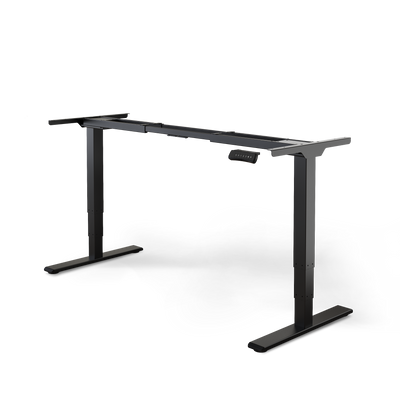
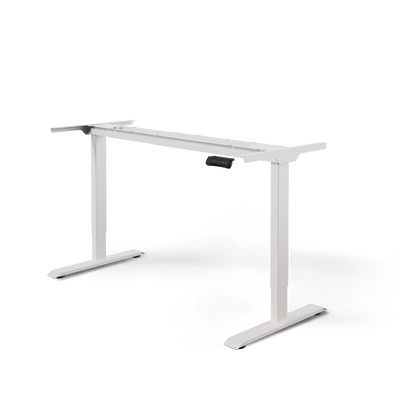
Electric frames move the tabletop via motors in the lifting columns. This allows the height to be adjusted precisely and effortlessly. Especially when multiple heights are regularly needed, this is the most practical solution. That’s why many readers are interested at this point in electrically height-adjustable desk legs for the desk.
Technically important is not just the motor but the interaction of lifting columns, crossbar, foot outriggers, and control. An electric frame doesn’t just lift. It must guide the load evenly, limit lateral movements, and keep the top stable throughout the entire lift. That’s exactly why a good frame feels noticeably steadier when typing, leaning, or working with a monitor arm than a simple model.
How to properly classify the three levels
The easiest way is to think of them as three different tools for three different problems.
An adjustable foot corrects contact with the floor. Manual adjustment changes the working height, but rather occasionally. An electric frame is built for regular height changes and is therefore closer to a true sit-stand workstation.
This distinction is especially important for retrofitting. An existing top, for example from IKEA, can work well with a new base. But it can also set structural limits, such as screw points, core of the top, or load distribution. Equally important is the real height requirement of the person working at it. Anyone significantly shorter or taller than average doesn’t need a nominally adjustable system but one whose minimum and maximum height in the finished setup really fits.
That’s why good decisions don’t start with the appearance but with the function of the component. Only when it’s clear which of these three levels actually solves your problem is it worth looking at dimensions, load capacity, and material.
Technical criteria for the right choice
You have a tabletop that you want to keep. Maybe it’s from IKEA, maybe it’s a heavy solid wood top. On the product page of a frame, load capacity, lift, and dimensions look suitable. Only after assembly does it become clear whether the technology really fits your top, your floor, and your body height.
This is exactly where most wrong purchases happen. Not because of the appearance, but because individual data points are read in isolation. For a good choice, you need to consider the values together, like tire width, rim size, and offset on a car. Each value alone sounds plausible. Only in combination does it become clear whether the system works properly.
Reading the adjustment range correctly
The adjustment range is only helpful if you calculate it in the finished setup. So the crucial factor is not just the frame size, but the final working height including the tabletop.
A simple example: If the frame has a minimum height of 62 cm and your tabletop is 2.8 cm thick, the lowest working height is about 64.8 cm. For smaller people, this can already be too high. For very tall people, the other end counts just as much. With a thick tabletop, cable tray, monitor arm, and large screens, the load increases, but your ergonomically sensible standing height must still be reachable.
This point is often underestimated, especially in retrofits. An existing tabletop doesn’t disable the technology. It changes the result.
Correctly classify load capacity
The load capacity doesn’t just describe what the desk can theoretically hold. For practical use, it’s more important whether the frame can control this load in motion and at full height.
That’s why it’s worth looking at the dynamic load instead of just a general maximum rating. A light tabletop with a laptop places different demands than a setup with two monitor arms, desktop PC, audio equipment, or a dense solid wood tabletop. The higher the actual load and the further it extends forward or to the side, the greater the demands on columns, crossbars, and foot extensions.
At DESKSPACE, we therefore advise technically savvy buyers to follow a simple reserve rule: don’t choose the frame exactly at the limit. A system with a reasonable load reserve usually operates more smoothly, especially in the upper lifting range.
You recognize stability in three places
Stability is not a single value. It arises from several components working together.
Check especially these points:
-
lifting columns and segments
Multi-stage columns are often the better choice when a large height range needs to be covered cleanly. They are especially helpful when very small or very tall people use the same desk. -
foot length and standing surface
A wide foot extension improves tilt stability. This becomes important when heavy monitors on arms sit far forward or when the tabletop is unusually deep. -
tabletop attachment and screw pattern
The frame can be excellent. If the screw points don’t match the tabletop, the core is too soft, or existing holes are poorly placed, play develops in the system. This is exactly where many retrofits with existing IKEA tabletops fail.
A stable desk shows its quality not when idle, but during real use. When typing, leaning, writing, and adjusting to working height.
table for quick classification
| user profile | recommended load capacity (dynamic) | ideal adjustment range | most important criterion |
|---|---|---|---|
| home office with laptop and light tabletop | moderate, with reserve for accessories | low enough for proper sitting, high enough for relaxed standing | appropriate minimum value in the finished setup |
| multi-monitor setup with monitor arms | higher, due to leverage and additional load | wide, still practical at great heights | low vibration under load |
| Gaming or creator workspace | higher, especially with heavy arms, audio equipment, or thick tops | suitable for everyday use during long sitting and switching phases | stable behavior during input and movement |
| team workstation with very different body heights | with reserve for changing equipment | as wide as possible downward and upward | real suitable minimum and maximum height |
If you want to compare the electric base in detail, our article on electrically height-adjustable table legs will help you.
What is often overlooked in practice
Lifting speed and noise are pleasant comfort features. They come after fit and stability in the selection process. A slightly slower frame that remains stable under load is usually the better solution in everyday use.
More important are questions like these: Does the screw pattern match your existing top? Is the minimum lift really enough for a smaller person? Does the frame remain stable even if the load is not centered? These exact points are missing in many guides, even though they make the difference when retrofitting.
A sensible order therefore looks like this:
- Determine body height and target height in the finished setup
- Check the top, including material, thickness, and existing drill holes
- Assess real load with accessories and leverage
- Compare adjustment range, foot length, and tabletop connection
- Only then choose color, shape, and control panel
This is how you read product data correctly. You translate it into a solution that works with your existing top and also fits ergonomically outside the standard body size.
Types and materials compared
The choice of frame not only determines the look. It also decides how stable the table remains under load, how freely your legs can move under the top, and how well an existing tabletop can be reused. Especially when retrofitting, we at DESKSPACE see two typical stumbling blocks. The design does not match the load distribution of the old top, or the adjustment range seems suitable on paper but is too limited for very small or very tall people in the finished setup.

T-foot and C-foot in everyday use
T-foot and C-foot solve the same problem in different ways. The difference seems small. In use, you can clearly feel it.
-
T-foot
The foot is usually positioned more centrally under the lifting column. This balances the center of gravity between the front and back. This is especially helpful with deeper tops, heavy monitor arms, or setups where loads are not always exactly centered. -
C-foot
The column is positioned further back. More usable legroom is created in front, which many find more comfortable when sitting. At the same time, the importance of clean load distribution increases. A heavy monitor arm at the rear edge or a wide top can cause the system to sway more.
A simple mnemonic helps. The T-foot distributes load more centrally. The C-foot creates space forward but requires more discipline in weight distribution.
Both types work well for standard workstations. When retrofitting with IKEA tops or other existing tops, a closer look at depth, drilling pattern, and material of the top is worthwhile because the design directly influences where forces are introduced into the top.
Steel or aluminum
Material is about more than weight. Crucial are stiffness, wall thickness, profile shape, and the quality of the connections between foot, column, and crossbars.
| Material | Typical impression in everyday use | Practical classification |
|---|---|---|
| Steel | heavier, steadier, usually more torsion-resistant | sensible for wide tops, lots of technology, and high demands on stability |
| Aluminum | lighter, often slimmer | suitable for lighter setups when low own weight and a reduced look are the priority |
Steel is often the safer choice when an existing top is heavy or when accessories create additional leverage forces. This applies, for example, to monitor arms, desktop holders, or a thick wooden top. With a solid wood desk top with high own weight, every detail of the substructure counts because the top itself already brings a lot of mass and thus inertia.
Aluminum can work very well. The crucial point is that the frame not only looks light but remains sufficiently stiff under load. Two frames made from the same material can therefore behave very differently in everyday use.
One motor, two motors, or three motors
The number of motors is not a quality feature by itself. More important is the task the frame is supposed to fulfill.
-
One motor
Often found in simpler systems. For light, narrow workspaces, this can be sufficient. It becomes more critical with high loads, wide tops, or frequent adjustments. -
Two motors
The sensible standard for many desks. The load is moved more evenly, and the frame usually reacts less sensitively to everyday differences in loading. -
Three motors
Especially interesting for corner solutions, very wide work surfaces, or more complex frame designs. The additional drive helps where multiple segments need to run smoothly in sync.
The key is synchronization. When multiple lift columns move evenly under real load, the table runs more smoothly and is more likely to maintain its intended geometry over time. Especially with asymmetrical setups, such as technology on only one side, this provides more benefit in everyday use than a high maximum load capacity on paper.
When which combination is worthwhile
For a compact single workstation with a laptop, a monitor, and a normal tabletop, a simple two-motor steel frame or a well-designed aluminum frame is often sufficient.
It looks different in these cases:
- Wide tabletops outside the standard format
- Heavy wooden tops or thick composite panels
- Monitor arms with large extension
- Corner desks and L-shapes
- Workstations for very short or very tall people, where stability must also be maintained at the top or bottom end of the lift
This is exactly where a merely adjustable solution differs from a permanently coherent one. Therefore, anyone retrofitting should not only ask which type looks best but also which design, material, and drive concept fit the existing tabletop and their own body size.
Compatibility and retrofitting for the existing tabletop
You already have a tabletop that you actually want to keep. The size fits the room, you like the surface, maybe it’s even a heavy solid wood top or a well-known IKEA tabletop. This is exactly where retrofitting becomes technically interesting. Because a height-adjustable frame does not automatically fit well with every existing tabletop, and certainly not with every body size.
A tabletop is not just a surface when retrofitting. It is a load-bearing component. If the material, drill points, overhang, and load distribution do not match the frame, the table will move up and down but feel unstable in everyday use. This often only becomes apparent later, for example when typing, leaning on the front edge, or using a monitor arm with a large extension.

Why retrofitting often fails
In practice, two questions are often asked too late. First: Does the frame structurally really fit the existing tabletop? Second: Will the adjustment range later be sufficient for the person working at it?
This particular combination is often barely covered in many guides. A standard tabletop from the furniture store can work well with a good frame. However, it can also become the weakest link if it is too thin, has little material on the underside, or is already damaged by old drill holes. For very tall or very short people, another factor comes into play. The table must not only be at the right height but also remain stable at the top or bottom end of the lift.
You should check these four points on the existing panel
Before you select or order a frame, a sober technical check is worthwhile:
-
Panel material
Solid wood, MDF, chipboard, and lightweight panels hold screws differently well. Solid wood is often load-bearing but reacts to temperature and humidity. Chipboard can be sufficient as long as there is enough material thickness and the screws are not too close to edges or old drill holes. -
Panel thickness
A thin panel can bend or tear out at the attachment points. This becomes especially relevant if you frequently switch between sitting and standing positions or if a lot of load is applied at the front. -
Size and overhang
A large panel on a frame set too narrow behaves like a long lever. The larger the free overhang at the front or sides, the more you will feel vibrations. -
Underside and drill pattern
It is not only important whether holes are present, but where they are located. New attachment points must have enough distance from old drill holes, edges, and weak zones.
Pay close attention especially with IKEA and similar standard panels
Many retrofit panels that are already in use. This often concerns IKEA tabletops or similar standard models from the office and home office sector. This is basically possible, but the name alone says nothing about suitability.
Three specific questions are more important: Is there enough load-bearing material under the surface for screws? Is the panel solid or built as lightweight construction? And does the frame width match the actual panel depth and the planned accessories?
A lightweight honeycomb panel reacts differently than a 26 mm thick MDF panel. A solid wood panel distributes loads differently than a thin coated chipboard panel. If you plan with wood, the overview on the solid wood desk panel helps because the material properties for the workspace are well categorized there.
How to check compatibility properly
| Test question | Why it is important | What you should practically do |
|---|---|---|
| Is the underside load-bearing enough? | Screws must hold permanently | Check the material, inspect old drill holes and broken spots |
| Does the frame width fit the panel? | Too much overhang increases leverage forces | Match the minimum and maximum width of the frame with the panel size |
| Where are heavy attachments located? | One-sided loads cause torsion | Plan for monitor arm, PC holder, docking station, and cable tray |
| Is the height adjustment range sufficient for your body size? | Ergonomics does not end with the tabletop | Calculate sitting and standing height together with tabletop thickness and frame height |
The last point is often overlooked. Those who are significantly smaller or taller than average need more than a formally fitting tabletop. The total height always results from the frame, feet, and tabletop thickness. A thick tabletop can noticeably raise the lowest usable point. For small people, this can mean that the sitting position remains too high despite a good frame.
Typical problem cases in practice
It usually becomes critical with combinations like these:
- thin tabletop with large format
- heavy equipment on only one side
- old or multiple drill holes
- Monitor arm close to a weak rear edge
- very small or very tall users with extreme height adjustment needs
Then the tabletop no longer acts as a stable base but rather like a bending-sensitive support element. The effect is similar to a shelf board with too much load in the middle. It does not have to fail immediately, but it reacts noticeably softer and less stable.
A successful upgrade is not recognized by the fact that the frame could be assembled. It shows when the tabletop, frame, and user profile work smoothly together under real load.
When a new tabletop is the better solution
Caution is advised with glass tops, very thin lightweight panels, damaged undersides, and unfavorably placed old drill holes. Even a nice existing tabletop is not worth it at any price if the screwing only works with compromises.
From a product perspective, this is the decisive criterion. The existing tabletop should fit the frame, and the overall system should suit the person who works at it daily. Exactly these two points, tabletop compatibility and ergonomics beyond the standard body size, determine whether an upgrade makes sense in the long term.
Assembly and maintenance for a long service life
A good frame can unnecessarily lose quality due to poor assembly. Conversely, even a simple construction feels significantly better when it is assembled cleanly and properly aligned.
Prepare properly before assembly
First, lay out all parts sorted. Check if the tabletop rests cleanly and evenly. Only mark fastening points after you have checked the exact position of the frame on the underside.
Many mistakes happen at the beginning. The frame then sits slightly offset, the columns are not exactly parallel, or the screws are set without prior checking.
The three most common assembly errors
-
Over-tightening screws
Too much force damages the material. This is especially true for wood-based materials. Screws should hold, not tear out the supporting material. -
Feet not aligned properly
Even a good frame feels unstable if the support points are not precisely aligned. Take your time for this step. -
Ignoring cable management
Loose cables can interfere when moving or pull on components. This is not only untidy but can make use unnecessarily problematic.
Even a few millimeters of offset in the assembly position can be noticeable later. Precision during setup saves frustration in daily use.
Set up correctly after assembly
After assembly, place the desk in its final position. Only then align the leveling feet. Behavior can change on a different surface.
Then run through all heights once. Pay attention to smooth operation, even movement, and whether the tabletop sits properly in every position. If your model has a manufacturer’s manual with reset or calibration steps, you should complete them fully. A detailed overview can be found in the Details on the PRO manual.
Maintenance without effort
Ongoing maintenance is straightforward. Regularity is more important than effort.
-
Keep surfaces clean
Avoid dust and dirt at contact points. -
Occasionally check screw connections
Don’t constantly retighten, but check if anything has come loose. -
Keep the movement area clear
Cables, rolling containers, or wall contact can restrict use. -
Take unusual noises seriously
Don’t ignore, but check assembly and free movement.
This way, the workplace remains not only functional but also predictable. That’s exactly what you want from a desk you use daily.
Ergonomics for all special cases and inclusion
Many ergonomics guides act as if there is a standard person for whom a standard desk already fits. This is too simplistic in practice.

Small and tall body sizes need different ranges
Verified data shows that 28% of German home office users are under 165 cm tall and suffer from posture problems twice as often. For this group, the combination of height-adjustable feet and a footrest can reduce muscular strain by up to 40%, according to the article on footrests at the workplace.
This is an important note. Ergonomics is not automatically good just because a table is adjustable. If the minimum height is not low enough, a smaller person will still sit with raised shoulders or without stable foot contact.
What really helps in special cases
For people outside the standard size, the combination of a suitable adjustment range and accessories is especially important.
-
Smaller users
often need a low table position plus footrest so that forearms, shoulders, and legs are aligned sensibly at the same time. -
Very tall users
need enough height when standing without the frame becoming unstable in the upper position. -
Wheelchair users
mainly need under-table clearance, free knee space, and a design that does not obstruct from the side or front. -
Children and teenagers
benefit from solutions that grow with you or at least offer enough room to go lower.
One size fits all does not work here
Especially for inclusive workstations, you should not buy according to standard recommendations but according to real body sizes and usage situations. A good solution arises from the interaction of frame, foot solution, accessories, and available freedom of movement.
A table can formally be height-adjustable and still remain ergonomically unsuitable. The difference lies in the details.
Frequently Asked Questions (FAQ)
Are small adjustable feet enough if my table wobbles?
Often yes, if the problem is only an uneven floor. If the working height also doesn't fit, you need more than just adjustable feet. Then a fully height-adjustable frame is the more suitable solution.
Can I continue to use my old tabletop?
Yes, but only after checking material, weight, thickness, and attachment points. An existing tabletop is not an automatic match for every frame. Especially with thin or older tabletops, you should look closely.
Are electric systems always better than manual ones?
For frequent switching between sitting and standing, usually yes. If you rarely change the height, a manual system can also work. The crucial point is whether you actually use the adjustment in everyday life.
How can I recognize a stable solution in everyday life?
Not just about looks. Pay attention to stable footing, sensible load distribution, a suitable tabletop, and clean assembly. A table must remain stable in your actual use, not just empty in the product image.
If you are planning your workspace anew or want to retrofit an existing tabletop, it's worth taking a close look at the interaction between the frame, tabletop, and ergonomics. At DESKSPACE you will find information and products related to height-adjustable workstations, table frames, tabletops, and suitable accessories for home offices, team workstations, and technically demanding setups.


